Below we summarize the steps that must be taken to integrate a video in the booking engine display section. This video can be integrated into the establishment's profile and also into the room/apartment profile. The video must be uploaded to Youtube.
How to configure a video in the establishment's profile?
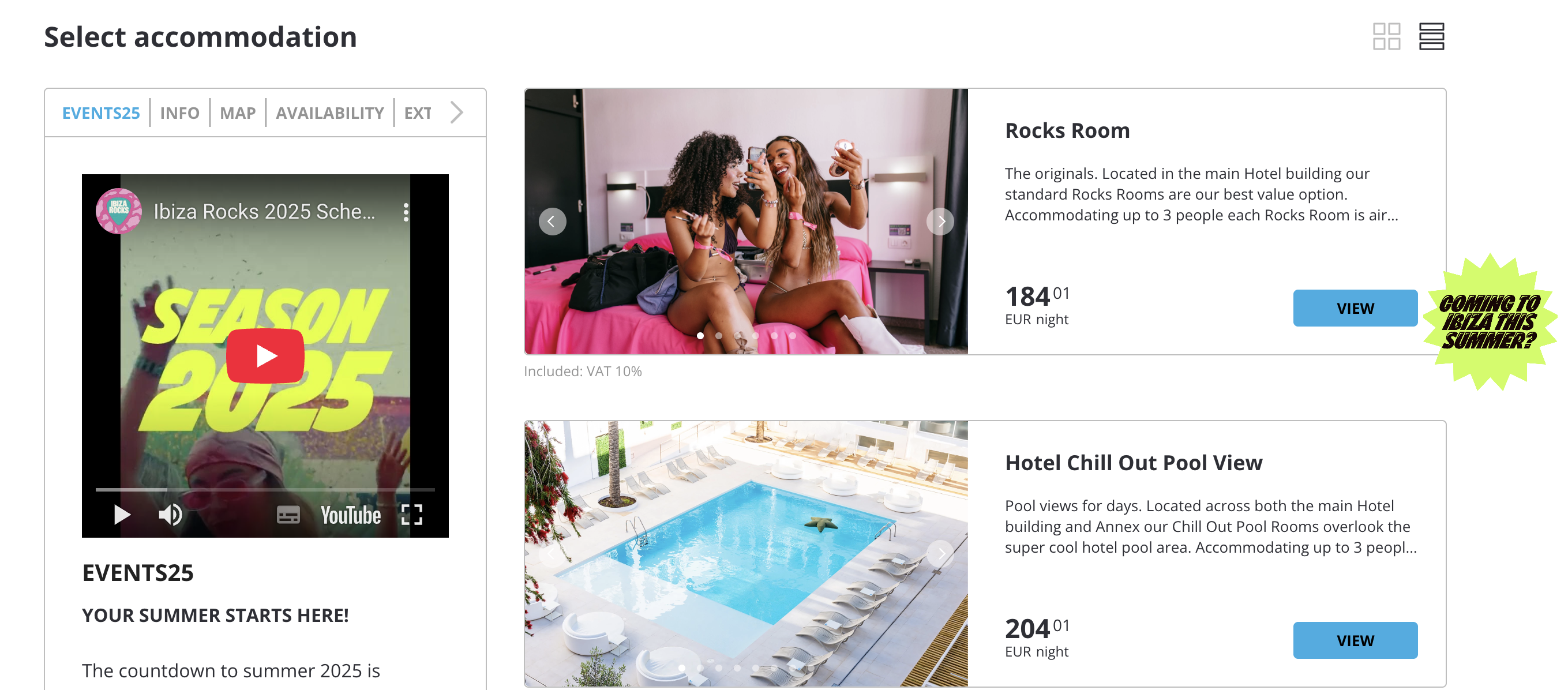
In Configuration --> Display --> create a new entry.
Configure the remaining fields as follows:
Active: Yes
Opens by default: Check the box if you want the default image to be displayed instead of the establishment's information profile.
Identifier: internal id (cannot be repeated).
Start/End Date of Contract: configure when you want the banner to be displayed only on specific dates. To display it always, do not enter dates.
Show only for: Establishment
Content Type: Video
Youtube URL: Enter Youtube URL.
Label Name: enter the name or title of the tab that will be displayed in the engine.
How to configure a video in the room/apartment profile?
Active: Yes
Opens by default: Check the box if you want the default image to be displayed instead of the establishment's information profile.
Identifier: internal id (cannot be repeated).
Start/End Date of Contract: configure when you want the banner to be displayed only on specific dates. To display it always, do not enter dates.
Show only for: Accommodation
Show only for the following identifiers (separated by commas): Add ticker** of the accommodation or accommodations in which you want to add the video.
** The accommodation ticker can be found in INVENTORY > Define Inventory > Accommodations > “Ticker” column.Content Type: Video
Youtube URL: Enter Youtube URL.
Label Name: enter the name or title of the tab that will be displayed in the engine.
Was this article helpful?
That’s Great!
Thank you for your feedback
Sorry! We couldn't be helpful
Thank you for your feedback
Feedback sent
We appreciate your effort and will try to fix the article