You must access the Configuration > Setup menu, Languages tab.
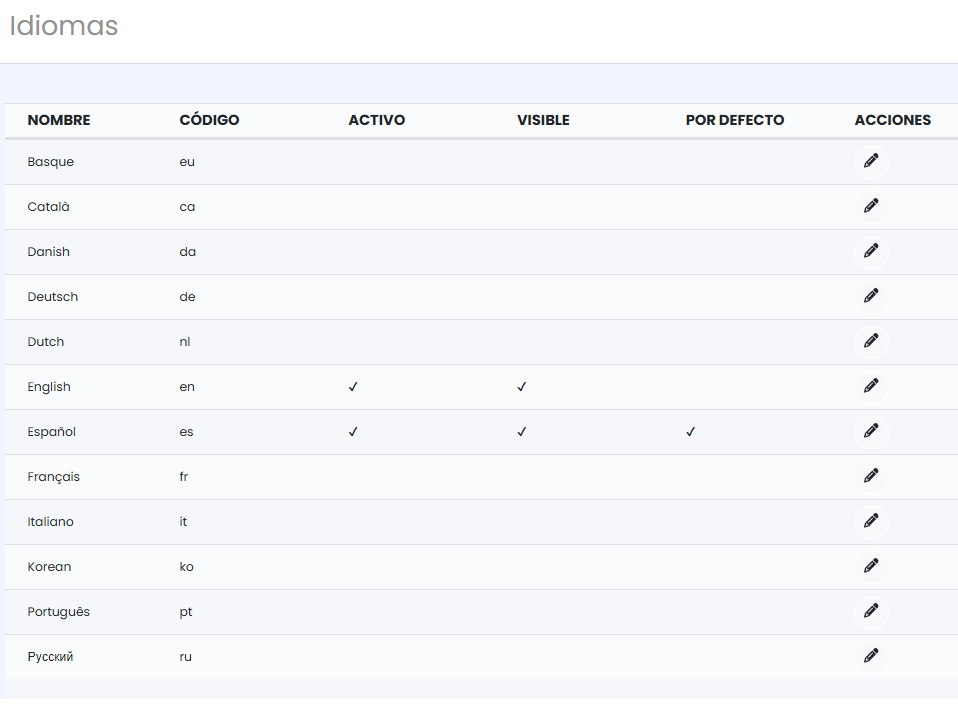
There are two columns for managing languages:
- Enabled: to enable content editing in that language in the back office.
It is important to note that to enable multiple languages simultaneously, you must complete the translations in all enabled languages and in all translatable sections. Otherwise, languages that do not have all the information translated will not be displayed correctly on the front end of the engine or may even cause the front end of the engine to become unavailable for sale.
Sections to translate:
- Inventory → Featured / Promotions
- Inventory → Extras / Services
- Inventory → Define inventory → Accommodations
- Inventory → Define inventory → Packages
- Inventory → Define inventory → Conditions
- Setup → Payment methods
- Communication → Web messages
- Communication → Custom emails
- Configuration → Info. Establishment
- Configuration → Info. Legal
- Configuration → Cancellation policies
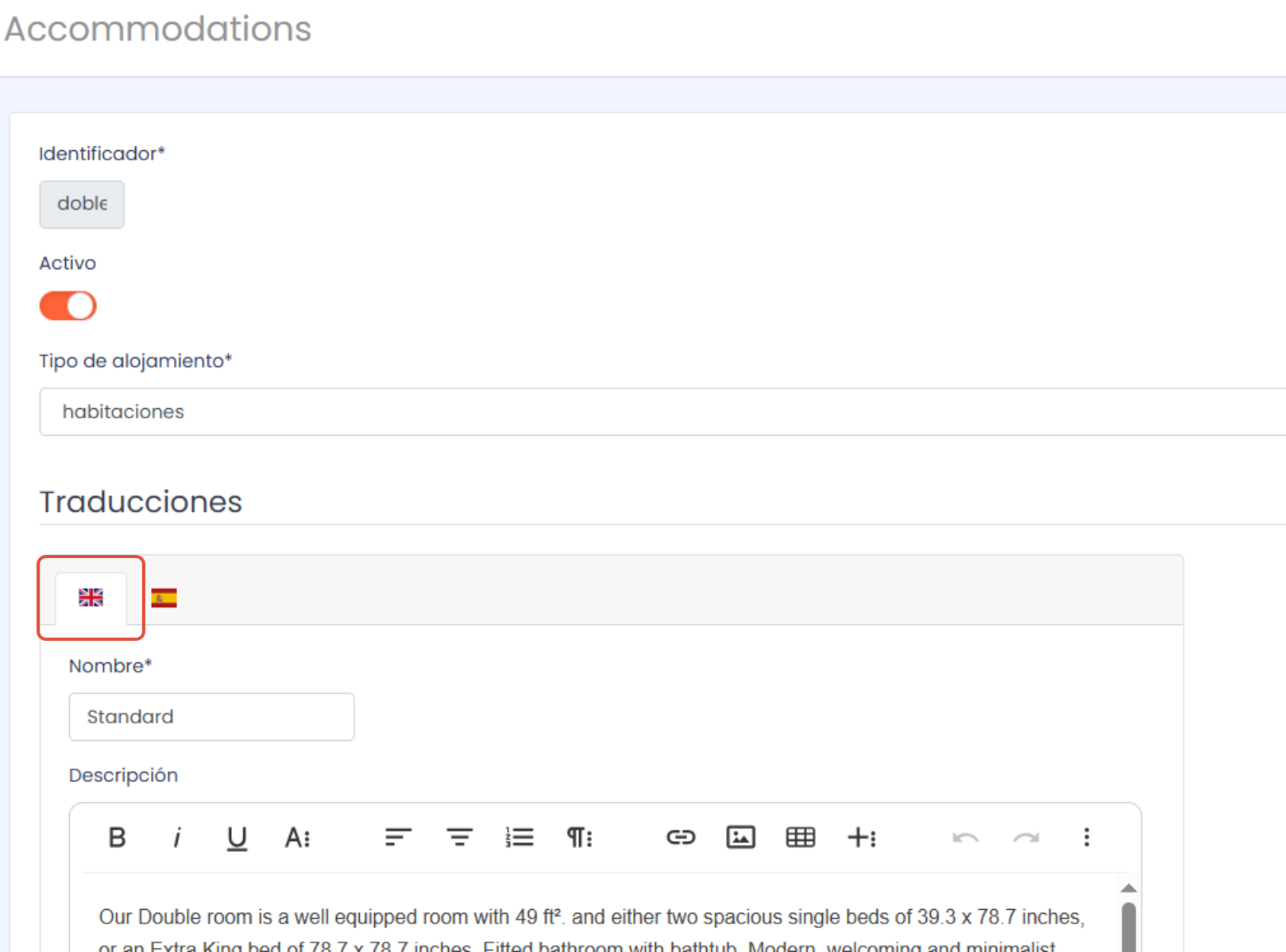
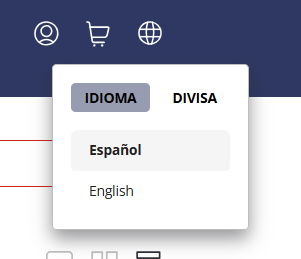
- Visible: to enable its visibility on the front end.
Was this article helpful?
That’s Great!
Thank you for your feedback
Sorry! We couldn't be helpful
Thank you for your feedback
Feedback sent
We appreciate your effort and will try to fix the article