How to configure the Google Analytics conversion funnel?
Configuring a conversion funnel in Google Analytics 4 (GA4) is quite straightforward, it can be done directly from the “explore” page of the Analyticsdashboard. However, we first need to consider what parameters should be tracked to generate this funnel.
Define the funnel:
Before configuring it, we need to know what steps we want to measure.
Typical example:
Availability search (search)
Hotel selection (Wit_Property Selection)
Room selection (Wit_Accommodation Selection)
Inventory selection (Wit_Inventory Selection)
Extras selection (Wit_Extra Selection)
Start of purchase (Wit_Checkout)
Confirmation (Wit_Purchase)
If this is not defined correctly, the funnel will not be useful for analyzing user behavior in the engine.
Check that events exist:
We must check that the events are correctly created in our GTM. To do this, we will need to access the dashboard and verify that we have them correctly created.
Create funnel in GA4:
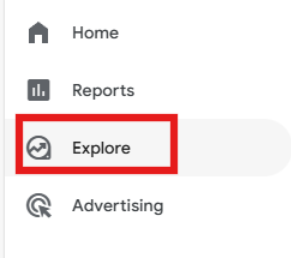
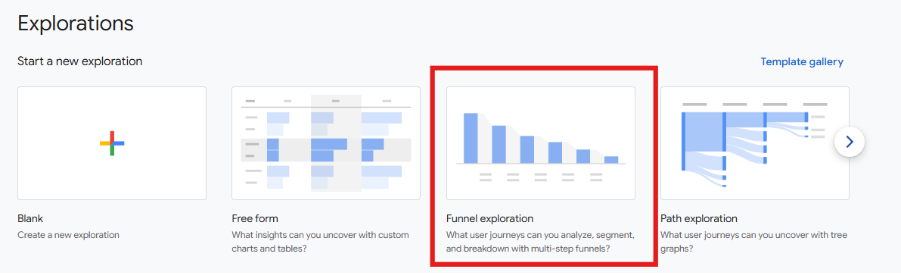
It's simple, go to the Analytics dashboard and from explore – explorations – conversion funnel, the report will be created:
Configuring the funnel steps:
Within the report, we must define each of the steps, for example:
Step 1 → event_name = search
Step 2 → event_name = Wit_Property Selection
Step 3 → event_name = Wit_Accommodation Selection
Step 4 → event_name = Wit_Checkout
Step 5 → event_name = Wit_Purchase
In this step, we can also add extra information. For example:
device
country
Etc.
Choose the type of funnel we want to create:
There are two types of funnels:
Closed funnel: The user must follow the exact order (useful if we want to analyze a strict flow).
Open funnel: The user can enter at any step.
In our booking engine, it is most common for the user to follow the exact order of the booking steps. Although it may be the case that if the user accesses the engine via URL, they will be redirected to steps specific to the engine.
Add key segmentations
This step will add value to the report. Without segmentation, we only see “what happens”; with segmentation, we understand why it happens.
When we talk about segmentation, we mean dividing the funnel into user groups to compare their behavior.
It's not the same to see: “we lose 60% in checkout”, than to see: “we lose 80% in mobile but only 30% in desktop”
Mark conversion
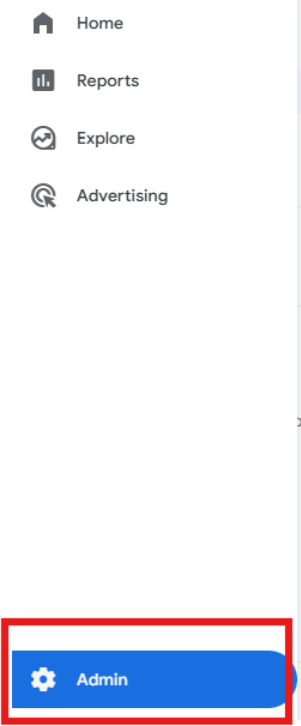
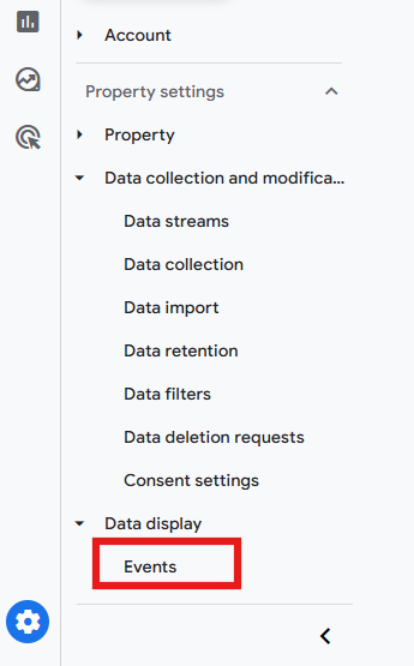
In GA4, we should go to Admin - Events - Mark as conversion
Was this article helpful?
That’s Great!
Thank you for your feedback
Sorry! We couldn't be helpful
Thank you for your feedback
Feedback sent
We appreciate your effort and will try to fix the article