What is "Functionality Tag"?
The Functionality Tag helps you easily identify which engine functionality was used to confirm each booking.
To see these tags, just go to Bookings > List or Expanded List. Then, click the “Column” button, expand the options, and select “Functionality Tag”.
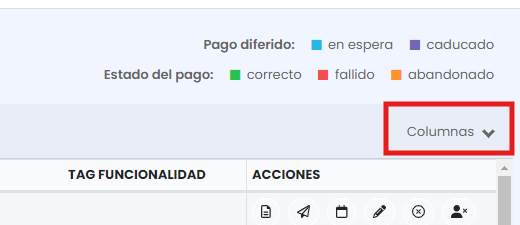
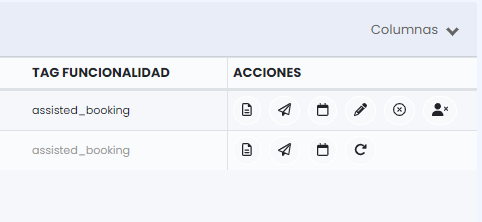
You will be able to see the "Functionality Tag" column in the list.
With this tool, we expect to obtain a more precise analysis of the performance of each functionality in booking conversion.
Which functionalities can we filter?
In the backoffice, you can now use a filter that allows you to search for bookings based on a specific tag. This will help you quickly identify which functionality has influenced each booking.
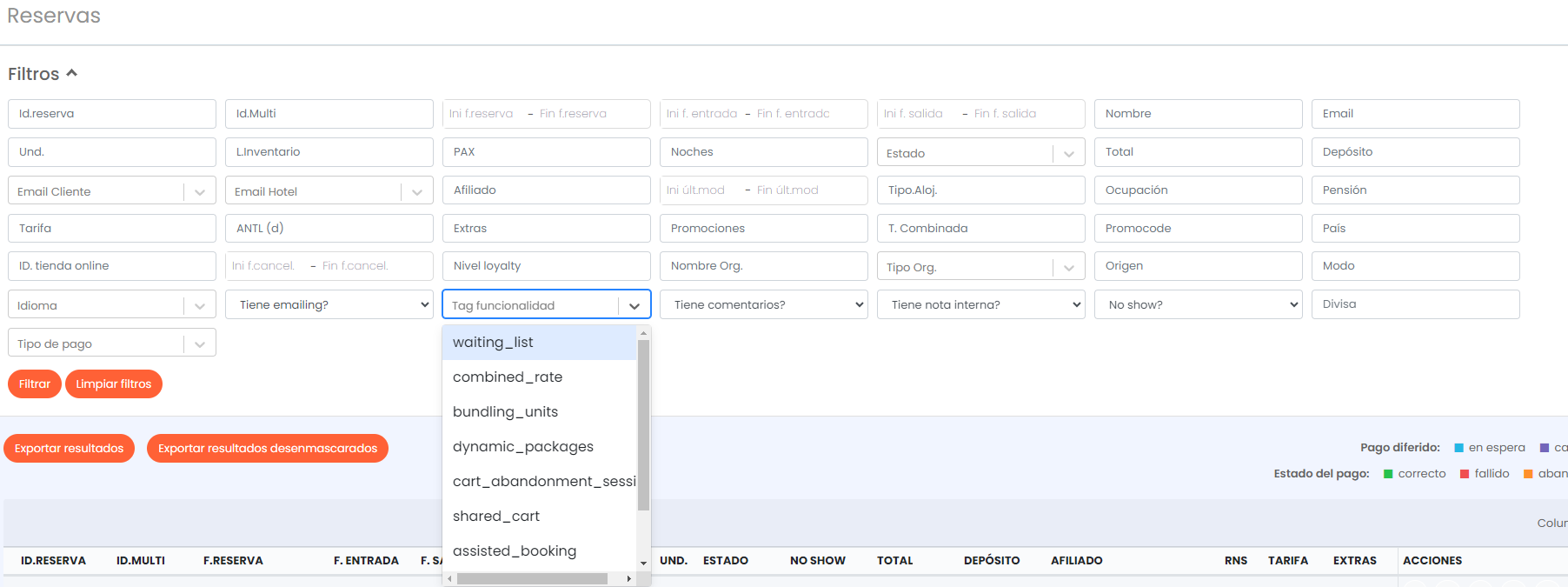
The available functionalities and their respective *tags* are:
- Waiting list: `waiting_list`
- Combined rate: `combined_rate`
- Bundling units: `bundling_units`
- Dynamic Packages dynamic_packages: `dynamic_packages`
- Abandoned Cart: `CART_ABANDONMENT_SESSION`
- Assisted Booking: `assisted_booking`
- Quotation: `quotation`
- Upselling: `upselling`
- Split Stay: `split_stay`
Was this article helpful?
That’s Great!
Thank you for your feedback
Sorry! We couldn't be helpful
Thank you for your feedback
Feedback sent
We appreciate your effort and will try to fix the article