What is it and what is it for?
This functionality allows you to offer your guests optional cancellation insurance at the time of finalizing the booking (checkout). The objective is to give the customer more confidence and increase the rate of completed bookings, especially for camping-type accommodations, where this type of insurance is very common.
How to activate and configure the insurance
From the management panel, in the "Insurance" section within Settings, you can create new insurance. These are the aspects you can define:
- Activate or deactivate the insurance whenever you want.
- Give it a name: this will be the text the guest sees at checkout.
- Choose the amount on which it is calculated: the accommodation price plus any extras booked.
- Decide whether taxes and fees (such as VAT or tourist tax) are included in the calculation.
- Choose whether the insurance price is a percentage or a fixed amount.
- Define price tiers: for example, a different percentage depending on the total amount of the booking.
- Set, if desired, dates when the insurance will be available.
- Define optional restrictions (minimum or maximum stay, minimum or maximum booking advance notice).
- Choose which accommodations the insurance applies to.
How the insurance price is calculated (with examples)
The insurance price is calculated on the amount of the accommodation plus extras, and may vary depending on whether taxes and fees are included or not.
For example, if a room costs 100 euros with 2 euros of mandatory extras and 7 euros of optional extras, the total is 109 euros.
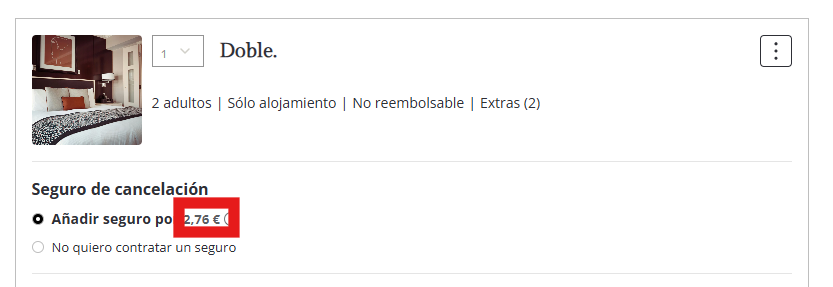
If the insurance is calculated including VAT and applies a 2% for that price tier, the insurance cost would be 2.18 euros.
This is how the guest would see it at checkout:
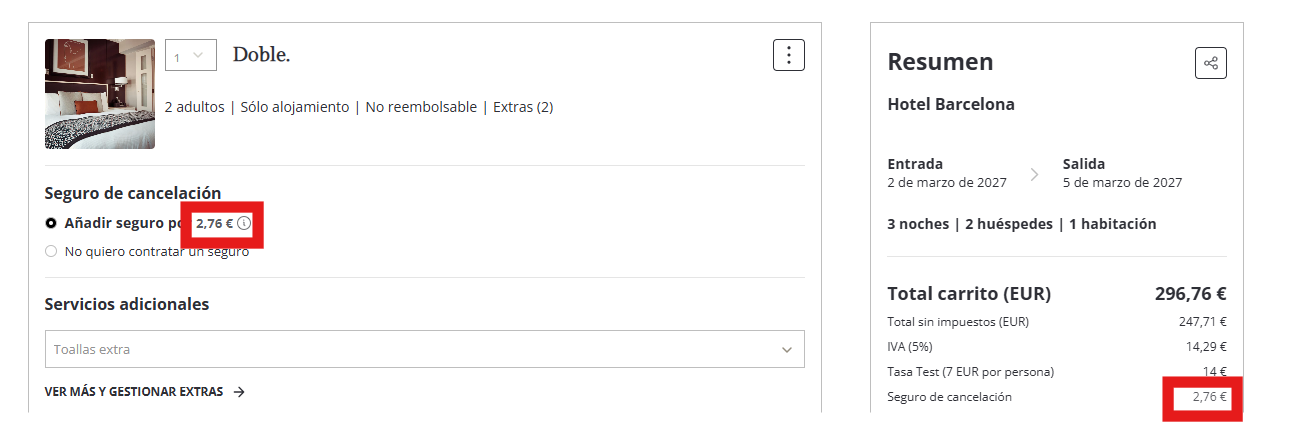
In another case, if the insurance is calculated without including taxes but including the tourist tax, the result varies slightly even if the same percentage is applied.
In this example, with the tourist tax included, the insurance cost would be 2.26 euros, as can be seen in the booking summary:
Important things you should know
- The guest can always choose "I do not want to purchase insurance", but no option will be pre-selected: they must choose one before completing the booking.
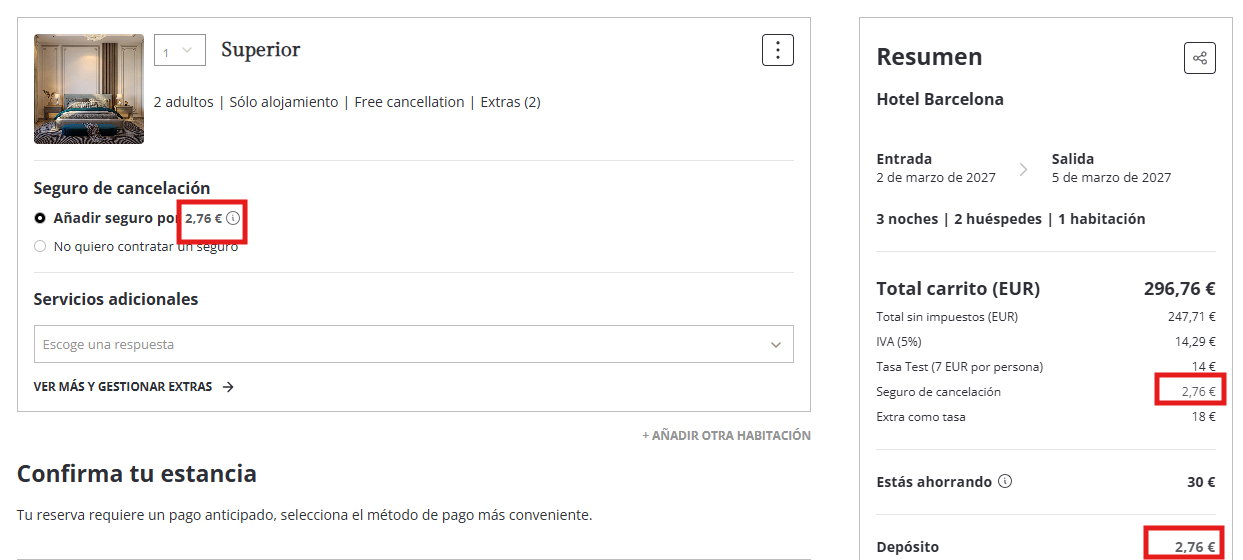
- If they purchase the insurance, its amount will appear in the booking summary, just below the tourist tax.
- The insurance amount is always added to the deposit to be paid, even if the booking does not require a deposit.
- The calculation is done for each accommodation in the booking: if multiple units are added, each will calculate its own insurance.
- If a booking has insurance purchased, this information will also appear in the booking details, when editing it, and in the confirmation email.
For example, this is how the insurance amount is reflected in the deposit upon confirming the booking:
Keep in mind that a booking with purchased cancellation insurance cannot be modified later: if the guest tries to modify it, the system will display a warning indicating that it is not possible.
*If a booking has insurance, it will also appear in: view booking details, edit booking, and in the confirmation email.
*Insurance can be configured with a maximum of 2 decimals.
Was this article helpful?
That’s Great!
Thank you for your feedback
Sorry! We couldn't be helpful
Thank you for your feedback
Feedback sent
We appreciate your effort and will try to fix the article