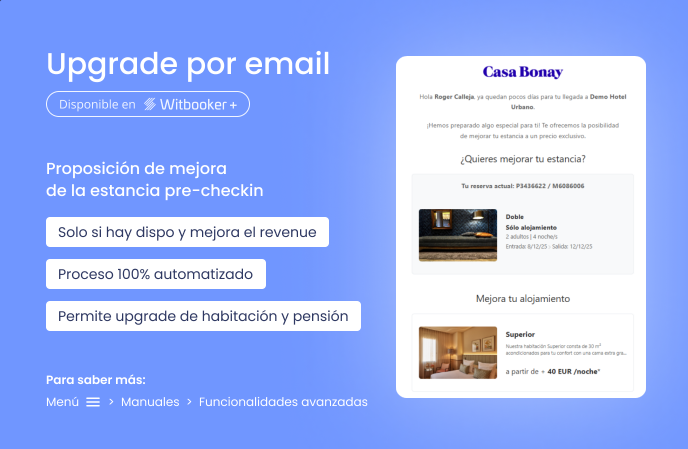
Witbooking incorporates a new tool designed to increase the profitability of each booking: automated Upgrading.
Thanks to this functionality, integrated into the Witbooker+ product, you can offer your clients the possibility to improve their stay, whether by changing room type, meal plan, or both, before their arrival at the hotel via an automatic email sent directly from the booking engine.
How does the upgrade email work?
1. The Witbooking team configures the operating rules (there is no manager in the back office):
- Release to send this email (days before arrival)
- We define in which rooms and meal plans we will offer the upgrade, and for each of these, we will indicate the alternatives we will offer.
- Define the price difference below which the offer will not be sent.
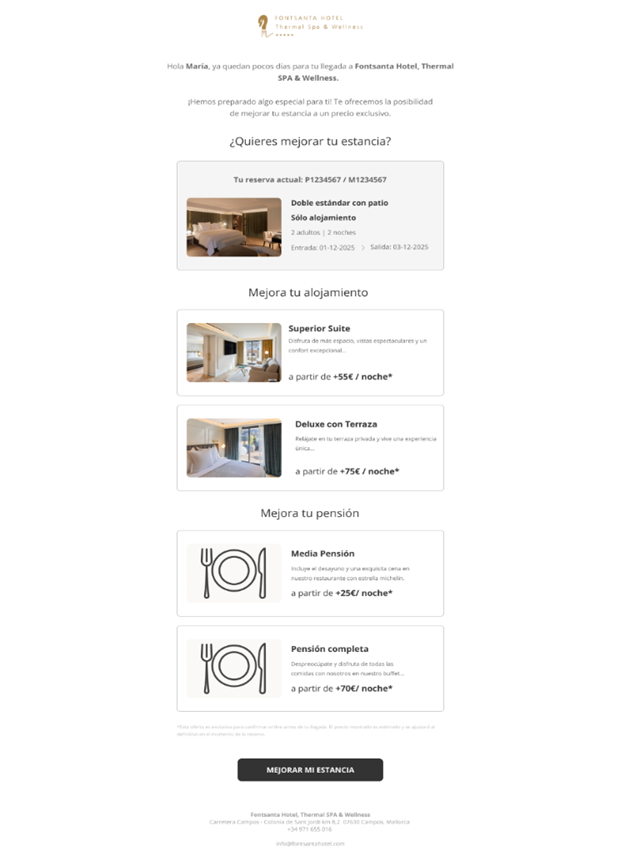
2. When these conditions are met, and provided there is availability for those rooms, the system automatically sends an email to the client with the available upgrade options for accommodation type and meal plan.
- In this email, we find buttons to change the room and/or meal plan.
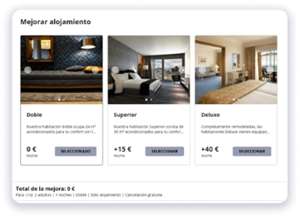
- This button will take us to a booking engine page (landing page) to view the different options and make the change.
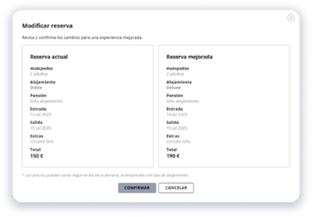
3. If the client chooses to improve their stay, a final screen is displayed with a summary of the changes.
4. A booking modification is sent to the channel manager.
What do you need to do to activate this functionality?
- Have the Witbooker+ product subscribed.
- Open a ticket on the Mysepteo platform so you can provide us with the necessary information and we can activate the upgrade for you.
Was this article helpful?
That’s Great!
Thank you for your feedback
Sorry! We couldn't be helpful
Thank you for your feedback
Feedback sent
We appreciate your effort and will try to fix the article